Apple Music Meets ChatGPT in 2026: Ultimate Guide to AI Powered Playlists & Music Discovery

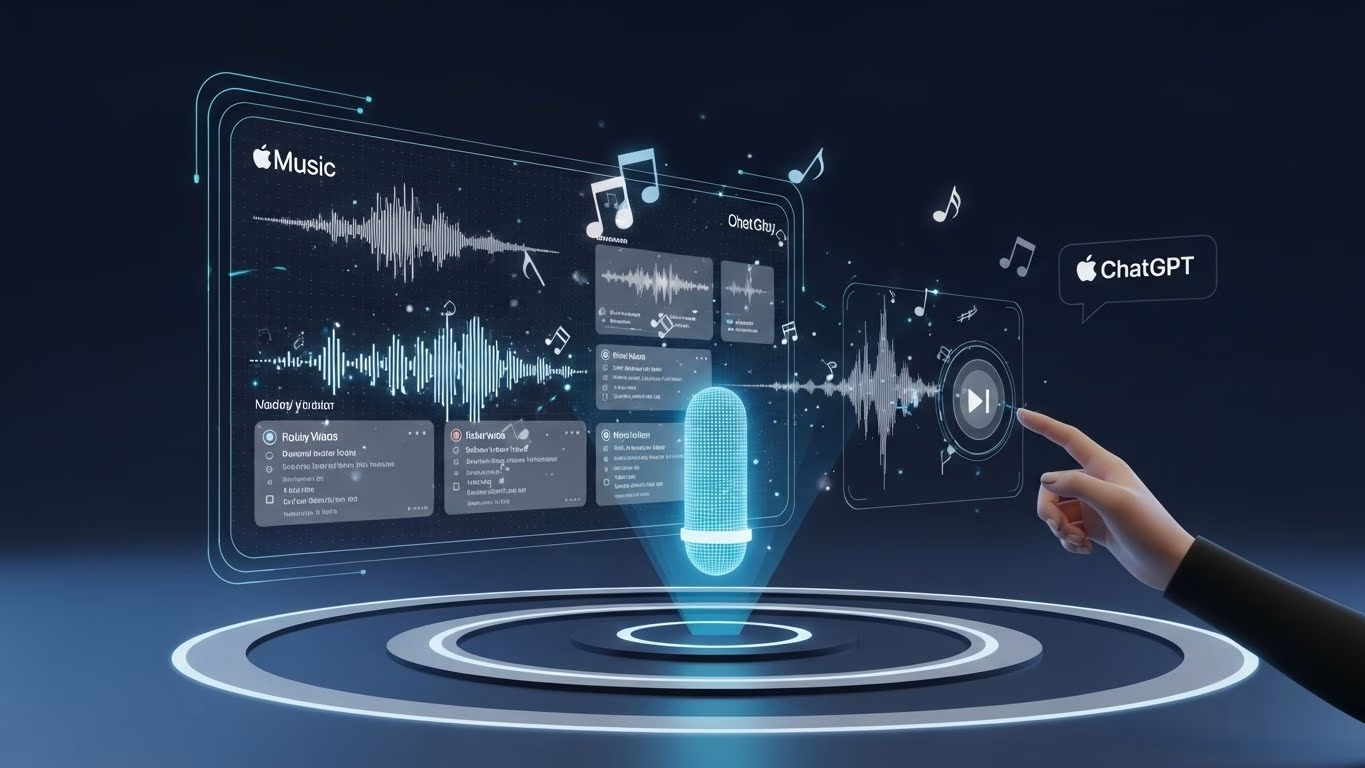
Through simple conversational prompts, like “Play something chill for my evening,” or “Make me a workout playlist,” ChatGPT can seamlessly generate music suggestions tailored specifically to you. The AI also learns over time, enhancing its recommendations based on the feedback and context you provide. Whether you’re looking for new artists, specific genres, or perfect tracks for a specific moment, the integration ensures your music is always in tune with your life.
This new AI-powered feature is expected to redefine how music streaming evolves in 2026, making it smarter and more user-friendly than ever.
How the Integration Works: Step-by-Step Setup
Setting up Apple Music’s ChatGPT integration is straightforward, even for those new to AI-driven experiences. Here’s how you can get started and make the most of this innovative feature in 2026:
Connecting Apple Music to ChatGPT
To connect Apple Music to ChatGPT, follow these simple steps:
- Download the Latest Version of ChatGPT: Make sure you have the most recent version of the ChatGPT app on your device. The integration requires this updated version for compatibility with Apple Music.
- Sign In to Your Apple Music Account: After opening the ChatGPT app, you will be prompted to sign in with your Apple Music credentials. Ensure you have an active Apple Music subscription or a valid free trial.
- Enable Music Integration: Once signed in, go to the settings in ChatGPT and enable the Apple Music integration. This will link your library with the AI, allowing it to suggest tracks based on your listening history and preferences.
- Grant Permissions: You’ll need to grant permission for ChatGPT to access your music library. This step is essential for personalized playlist creation and smart recommendations.
Once connected, you can start interacting with ChatGPT to generate playlists, discover new artists, or get mood-based recommendations.
Prompt Tricks That Activate the App
Using ChatGPT with Apple Music is all about the prompts. Here are a few examples of how to activate the AI:
- Basic Prompts: Ask simple requests like “Play relaxing music” or “Make a playlist for my workout.” The AI will understand your context and suggest tracks accordingly.
- Advanced Prompts: If you want more specific suggestions, try “Create a playlist for a rainy afternoon” or “Find some new indie songs like my favorite artist.” ChatGPT will use its deep learning to analyze your music preferences and offer unique recommendations.
- Context-Based Prompts: You can also input detailed scenarios like “Play upbeat music for a party,” and ChatGPT will suggest songs that match the vibe you’re going for.
The more you interact with the AI, the better it gets at curating personalized music experiences.
Key Features You Can Use in 2026 (Apple Music ChatGPT Integration 2026)
Apple Music’s ChatGPT integration in 2026 unlocks a variety of powerful features that enhance your music experience. Here are some of the most notable capabilities that set this integration apart:
AI-Generated Playlists by Mood & Activity
One of the standout features of the Apple Music and ChatGPT integration is the ability to generate playlists based on your mood or activity. Whether you’re working out, relaxing, or hosting a party, ChatGPT can create a playlist that perfectly matches your vibe. The AI analyzes your preferences and suggests songs that suit the moment, saving you time spent manually selecting tracks.
For example, if you’re getting ready for a workout, you can simply tell ChatGPT, “Create an energizing playlist for my gym session,” and it will generate a high-energy mix of tracks to keep you motivated. Similarly, if you’re unwinding after a long day, you can ask for a “chill evening playlist,” and ChatGPT will provide relaxing music to help you decompress.
These mood- and activity-based playlists take the guesswork out of music selection, offering a personalized listening experience like never before.
Music Discovery & Recommendations
Discovering new music has never been easier with ChatGPT. By analyzing your listening habits and music preferences, the AI can suggest tracks, albums, or artists you might not have encountered otherwise. Whether you’re into niche genres or popular hits, ChatGPT’s recommendations are tailored specifically to your taste.
Simply ask ChatGPT, “What’s new in indie music?” or “Give me recommendations based on my love for jazz,” and it will provide fresh, personalized music suggestions. The more you interact with ChatGPT, the better it becomes at refining its recommendations, learning from your likes and dislikes.
This feature ensures that your music library is always evolving and filled with tracks you’ll love. It’s like having your own music curator at your fingertips.
Library Management With ChatGPT Commands
Apple Music’s ChatGPT integration also helps streamline library management. Instead of manually adding songs to your library, you can use natural language commands to do so. For example, you can say, “Add this track to my favorites,” or “Add this playlist to my library,” and ChatGPT will take care of the rest.
Additionally, you can ask ChatGPT to organize your library based on genre, mood, or activity. If you have a cluttered music collection, the AI can suggest ways to better organize your tracks for easy access. For instance, “Sort my library by genre,” or “Create a workout playlist from my favorites.”
This functionality makes managing your music library faster, more efficient, and more intuitive, all while keeping your listening experience seamless.
Apple Music Subscription vs Free Experience
Apple Music’s ChatGPT integration offers unique benefits depending on whether you’re using the free version or a premium subscription. Here’s how the two experiences compare in 2026:
Free Experience: Limited Features
For non-subscribers, the integration still offers basic functionality, such as receiving music recommendations and creating playlists through ChatGPT. However, access to certain premium features is restricted. You can ask ChatGPT to generate playlists based on your mood or activity, but you might be limited to free-tier songs, and some advanced features, like personalized AI-curated playlists, may not be available.
Non-subscribers can still enjoy the conversational AI experience, but their access to certain tracks and exclusive playlists is limited to the free catalog, which might restrict the variety of recommendations they get.
Premium Subscription: Full Access & Enhanced Features
Subscribers to Apple Music enjoy the full range of ChatGPT integration benefits. With a premium subscription, you get access to the entire catalog of music, including exclusive releases and full-track listening. ChatGPT can curate playlists with more personalized results, based on a more in-depth analysis of your preferences and listening habits.
Premium users also benefit from the ability to seamlessly add songs and albums to their libraries, making it easier to manage and organize your music collection.
For those who use music streaming frequently, the premium subscription unlocks a more tailored and complete experience with ChatGPT.
ChatGPT Prompts That Get Better Results
To get the most out of Apple Music’s ChatGPT integration, crafting the right prompts is key. The way you interact with ChatGPT directly impacts the quality of music recommendations and playlists it generates. Here’s how you can fine-tune your requests to achieve the best results in 2026:
Best Playlist Prompt Templates
One of the best features of ChatGPT integration is its ability to generate playlists based on simple text prompts. Here are some of the most effective prompts to get started:
- Mood-Based Prompts:
- “Create a relaxing playlist for a peaceful evening.”
- “Generate a high-energy workout playlist.”
- Activity-Based Prompts:
- “What’s the best music for a road trip?”
- “Make a playlist for a dinner party.”
These prompts give ChatGPT clear instructions, allowing it to generate accurate playlists that match the vibe you’re going for.
Mistakes to Avoid in Prompts
While ChatGPT is powerful, there are a few common mistakes that could limit the effectiveness of your music recommendations. Here’s how to phrase requests more effectively:
- Being Too Vague:
Instead of asking for “music,” try specifying a genre or activity. For example, “Play some rock music” is too broad. A better prompt would be “Can you play some classic rock for my road trip?” - Overloading with Details:
While ChatGPT can handle a lot of information, overloading it with too many specifics can confuse the AI. Keep it simple, but focused. For example, “Create a 10-song playlist with upbeat rock and indie tracks for my workout” works better than “Can you make a playlist with the best upbeat songs of all time from multiple genres?” - Ignoring Context:
Remember to give ChatGPT context about your situation—like the time of day or specific activity—so it can tailor its recommendations to your needs. For instance, “Create a playlist for a cozy morning” will get you different results than simply asking for “morning music.”
Mastering these prompt strategies will ensure that ChatGPT delivers the perfect music every time.
Privacy & Security: What Users Should Know
As with any AI-driven service, it’s essential to understand the privacy and security implications when using Apple Music’s ChatGPT integration. Here’s what users need to know to stay informed and secure in 2026.
Data Access and Permissions
When you connect Apple Music to ChatGPT, the AI gains access to your music library, but it does not automatically have access to your personal data or sensitive information unless explicitly granted. For example, ChatGPT can view your playlists, the songs you’ve listened to, and your preferences to generate personalized recommendations. However, it will not have access to your private conversations or data outside the Apple Music ecosystem unless you provide it.
The key privacy concern is how much access the AI has to your listening history. This data is used to make better recommendations, but some users may prefer to keep this information private. Apple Music’s privacy policy ensures that your music activity is anonymized to some extent, but always review the app’s permissions and settings.
How Apple Ensures Security
Apple follows its strict privacy guidelines to protect user data. For instance, all communications between Apple Music and ChatGPT are encrypted, meaning that unauthorized third parties cannot intercept the data. Apple also uses end-to-end encryption for transactions and account logins, ensuring that your information is safe when interacting with the service.
However, users should remain cautious and review their data-sharing preferences within both the ChatGPT and Apple Music apps. By regularly managing permissions and settings, users can ensure that their music experience is secure and in line with their privacy preferences.
Apple Music + ChatGPT vs Spotify AI Integration
As AI continues to revolutionize music streaming services, both Apple Music and Spotify are integrating advanced AI systems to enhance user experiences. In 2026, the rivalry between Apple Music’s ChatGPT integration and Spotify’s own AI-driven features is heating up. Here’s a comparison to help you decide which service offers the best experience.
Apple Music + ChatGPT: A Personalized AI Experience
Apple Music’s integration with ChatGPT stands out for its ability to generate highly personalized playlists and recommendations. By analyzing your listening habits and understanding your specific moods or activities, ChatGPT curates music suggestions that feel incredibly tailored. Whether you’re looking for a workout playlist or new indie music, ChatGPT provides context-aware recommendations with just a simple prompt. Additionally, ChatGPT’s ability to manage your music library and create playlists with natural language commands gives it an edge in terms of user convenience.
One of the strongest features of Apple Music’s ChatGPT integration is its conversational nature. The AI is designed to understand nuanced prompts and respond in a way that feels intuitive. As a result, users get a seamless and interactive music experience that is well-suited to a variety of activities and moods.
Spotify AI: Discover and Enhance Music with AI
Spotify’s AI-driven features, including its “Discover Weekly” and “Release Radar” playlists, are focused on delivering fresh music recommendations based on user data. While Spotify’s algorithm is impressive in its ability to predict the types of music you might enjoy, it lacks the conversational interface that makes ChatGPT so unique.
Spotify’s AI primarily focuses on recommending songs based on your previous listening patterns and popular trends. However, it doesn’t provide the same level of personalized interaction. While Spotify is excellent for discovering new music through its extensive library, it doesn’t have the same depth in customization as ChatGPT when it comes to tailoring playlists based on mood or activity.
Which One is Better?
In terms of interactive AI experiences, Apple Music’s ChatGPT integration leads the pack, offering deeper personalization, conversational prompts, and intuitive playlist creation. Spotify, while excellent for discovery, is still focused on data-driven recommendations rather than dynamic, context-sensitive interactions. For those looking for a truly personalized, AI-driven music experience in 2026, Apple Music with ChatGPT is the clear winner.
Future Roadmap: What’s Next in 2026
Looking ahead to 2026, Apple Music’s integration with ChatGPT is just the beginning of an even more advanced music experience. As AI continues to evolve, Apple is expected to expand the capabilities of its AI-driven features, making music streaming even more personalized and intuitive.
Deeper Personalization with AI
In the future, Apple Music plans to integrate more sophisticated AI models that will enhance personalization. ChatGPT will likely become even more adept at understanding user moods, preferences, and even external factors like weather or time of day. For example, imagine asking ChatGPT for a playlist for a beach vacation, and it not only curates songs based on your tastes but also takes into account the current weather and the vibe of your destination.
Voice Command Integration with Siri and Apple Intelligence
Apple’s AI ecosystem, which includes Siri and Apple Intelligence, is expected to work even more seamlessly with ChatGPT. Users could potentially control their entire music experience through voice prompts, allowing them to generate playlists, skip songs, or adjust volume levels without needing to interact physically with their device. This integration could lead to a fully hands-free music experience, which would be perfect for workouts, cooking, or driving.
Interactive Live Concerts and Events
Apple Music and ChatGPT could also play a role in live music experiences. With advancements in AI, users may be able to attend virtual concerts where ChatGPT curates a playlist based on real-time audience feedback and the performer’s setlist. This interactive feature could redefine how we experience live events in 2026.
As we look toward the future, Apple Music and ChatGPT’s integration will continue to evolve, making music more accessible, personalized, and enjoyable than ever before.
FAQs About Apple Music ChatGPT Integration
As Apple Music continues to integrate ChatGPT for a more personalized listening experience, many users have questions about how it works and what they can expect from this innovative feature. Here are some frequently asked questions to help you understand the Apple Music and ChatGPT integration in 2026.
Can ChatGPT play full songs on Apple Music?
No, ChatGPT cannot directly play full songs. However, it can suggest songs, albums, or playlists based on your preferences. Once ChatGPT provides the recommendations, you can play them directly through the Apple Music app, provided you have an active subscription or access to the music within the Apple Music catalog.
Is an Apple Music subscription required to use ChatGPT?
While you can use some basic features of ChatGPT with Apple Music on the free tier, a subscription is recommended to access the full range of benefits. Subscribing to Apple Music gives you access to all songs and albums recommended by ChatGPT, as well as the ability to add them to your library. Without a subscription, you’ll be limited to the free catalog.
Will my listening history be used for personalized recommendations?
Yes, ChatGPT uses your listening history to personalize music recommendations. The AI analyzes the songs and artists you listen to most often and suggests tracks accordingly. However, if you’re concerned about privacy, you can adjust the settings to limit how much of your data is shared, ensuring you have control over what the AI can access.
Which regions support the Apple Music + ChatGPT integration?
As of 2026, Apple Music’s ChatGPT integration is available in most regions where Apple Music is accessible. However, some features may be limited in certain countries due to licensing restrictions. It’s important to check Apple Music’s official site or app for the latest information about regional availability and any restrictions on specific features.
Can I use ChatGPT to create playlists for other streaming services?
Currently, the integration works exclusively with Apple Music. While ChatGPT can generate playlist ideas or suggest music that could be found on other platforms, its seamless integration is limited to Apple Music. This might change in the future as Apple expands its AI offerings, but for now, users can enjoy a streamlined experience with Apple Music.
How do I manage permissions and privacy settings?
To manage your privacy settings, go to the settings menu within the ChatGPT app and Apple Music app. Here, you can control the level of access that ChatGPT has to your music library, playlists, and listening history. If privacy is a concern, you can disable certain features or limit data sharing to ensure your personal information remains secure.
Best Practices
In conclusion, the collaboration between Apple Music and ChatGPT in 2026 marks a transformative shift in how we engage with music. This AI-driven system enhances the music discovery process by providing a personalized, interactive, and fluid experience. With features such as mood-based playlists, tailored suggestions, and easy music library management, it brings a new level of convenience to users.
To maximize the benefits of this integration, here are some best practices:
-
Be Specific with Prompts: Clearly communicate your preferences—whether it’s for a genre, mood, or activity-oriented playlist. This will help ChatGPT offer more precise and enjoyable recommendations.
-
Engage with ChatGPT Regularly: Frequent interaction enables the AI to better understand your tastes and enhance its suggestions over time.
-
Prioritize Privacy: Ensure your data-sharing and permission settings align with your privacy preferences, making your music experience both customized and safe.
By adopting these strategies, you can fully explore the potential of this cutting-edge AI music experience in 2026.